

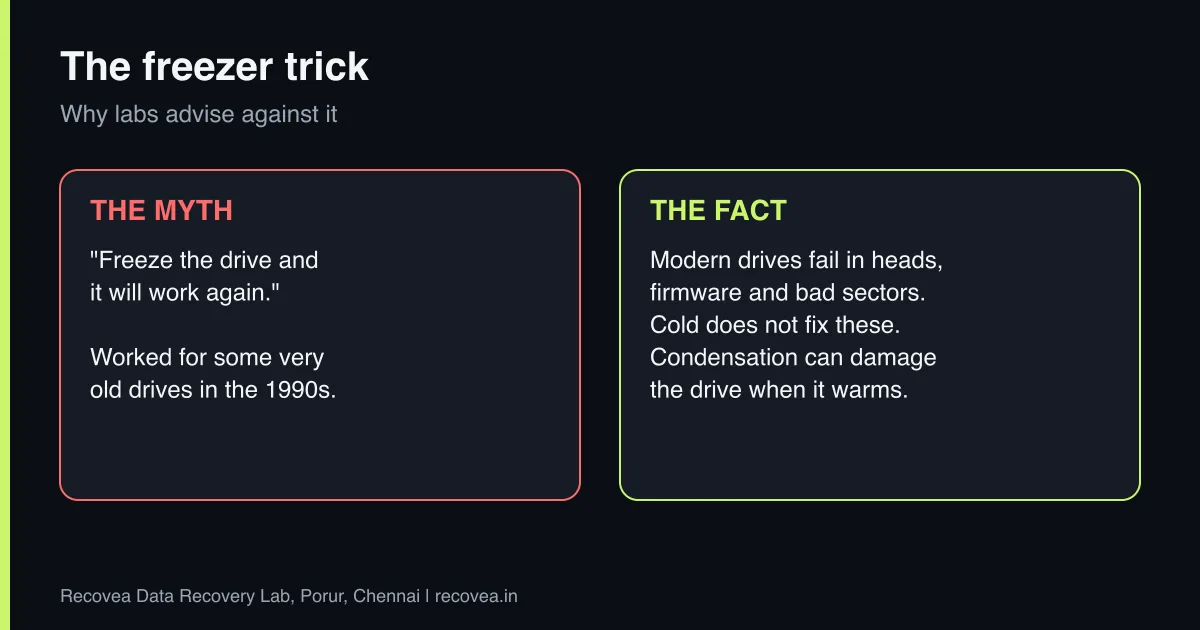
Putting a hard drive in the freezer does not fix modern drives and can make recovery harder. The trick comes from old drives of the 1990s, where parts that had stuck could sometimes be freed by cold. Today’s drives fail in different ways, and cold fixes none of them.
Key takeaways
- The freezer trick belongs to the 1990s. Modern failures (heads, firmware, bad sectors) are not cured by cold.
- Condensation forms as the drive warms and can damage the platters and the board.
- It does nothing for SSDs, pen drives or memory cards.
- A drive that has been frozen can still be recovered if you let it return to room temperature and do not power it on.
- The right step is a free diagnosis, not a home experiment.
In this guide
- Where the freezer trick came from
- Why it does not work on modern drives
- Other home tricks to avoid
- What if you already froze the drive?
- What actually works
- Our approach at Recovea
- Frequently asked questions
Written by the Recovea lab team, Porur, Chennai. Last reviewed 16 November 2026.
Where the freezer trick came from
Early hard drives could suffer from stiction: the heads stuck to the platter surface, usually after the drive had been off for a while. A shock from cold, or tapping the drive, sometimes freed them for a few minutes, enough to copy a few files. Forum posts and videos kept the story alive long after the technology changed. The tip keeps circulating because someone, somewhere, had a lucky result and posted it.
Why it does not work on modern drives
- The faults are different. Modern drives mostly fail because heads wear, firmware is corrupted, or sectors go bad. Temperature does not repair any of these.
- Condensation. A cold drive pulled out of a freezer into warm air collects moisture on its surfaces. Water on the platters or circuit board can cause corrosion or short circuits when power is applied.
- Thermal stress. Rapid changes in temperature make metal and glass parts expand and shrink at different rates, which can misalign delicate parts.
- You may get only one chance. If the drive does start for a few minutes, those minutes are spent on a drive that may be mid-failure, and the attempt may leave nothing for a professional to work with.
- It does nothing for flash storage. SSDs, pen drives and memory cards have no moving parts, so there is nothing for cold to free.
Home tricks and what really happens
Why labs advise against each one
stop careful safe
Home tricks compared with what really happens.
Other home tricks to avoid
- Tapping or hitting the drive. This can cause a head crash.
- Opening the drive on a desk. Normal room air contains dust particles much larger than the gap between head and platter.
- Swapping the circuit board. Modern drives keep adaptive data on the board, so a swap with a similar board often fails.
- Repeatedly power cycling. Each power-up is another chance for a failing head to touch the platter.
- Baking or heating the drive. This can warp parts and ruin the magnetic layer.
Ask our experts: free diagnosis. Send us a message on WhatsApp and we reply within 30 minutes during working hours (Monday to Saturday, 10:30 to 20:00). Recovery starts from ₹990, physical and complex cases are quoted individually after diagnosis, and if we cannot recover your data, you do not pay.
Chat on WhatsApp | Call +91 79046 79817 | Ask D, free diagnosis
What if you already froze the drive?
Do not panic, and do not turn it on. Leave it in a sealed anti-static or plastic bag, so that moisture forms on the bag and not on the drive, and let it return to room temperature for several hours. Then bring or send it to a lab and tell the engineer what you did. Honesty helps: the engineer can check for moisture and corrosion before any power is applied.
What actually works
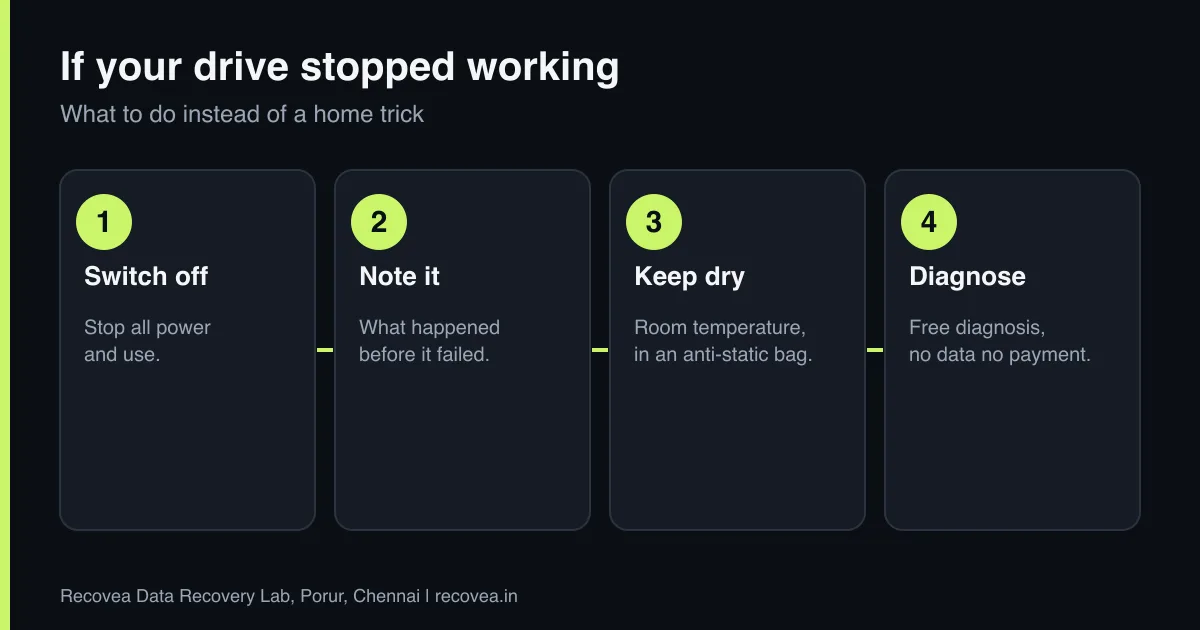
The right first steps are boring but effective: switch the drive off, note the symptoms, keep it dry and at room temperature, and get a diagnosis. A lab can identify the fault with specialised tools, and repair it in a cleanroom. Head failures are fixed by replacing heads with matched donor parts. Firmware faults are repaired with tools such as PC-3000. Bad sectors are handled by a careful imaging process that works around damaged areas. None of these is something a freezer can do.
Our approach at Recovea
We diagnose for free and tell you the likely cause, the likely cost and the likely time before you decide. Physical faults typically take 3 to 15 working days; logical and firmware faults often take 24 to 72 hours. Recovery starts from ₹990, complex cases are quoted individually, and you pay only if your data is recovered. You can send the drive by courier from anywhere in India.
Ask our experts: free diagnosis. Send us a message on WhatsApp and we reply within 30 minutes during working hours (Monday to Saturday, 10:30 to 20:00). Recovery starts from ₹990, physical and complex cases are quoted individually after diagnosis, and if we cannot recover your data, you do not pay.
Chat on WhatsApp | Call +91 79046 79817 | Ask D, free diagnosis
Why the freezer trick lingers
A short history of a hard drive myth
Where the freezer myth comes from.
Frequently asked questions
Does the freezer method ever work?
It worked occasionally on very old drives. For today’s drives it is not recommended by recovery labs and risks condensation damage.
What if I already froze my drive?
Let it return to room temperature in a sealed bag for several hours. Do not power it on. Then get a diagnosis and tell the engineer.
Does it work for SSDs?
No. SSDs have no moving parts, so cold does nothing useful.
What is the right first step for a dead drive?
Switch it off and get a professional diagnosis before trying any home method.
Can software fix a drive that stopped working?
Only if the drive is physically healthy. For clicking, beeping or undetected drives, software can cause more harm.
How do I know if my drive is physically damaged?
Clicking, beeping, grinding, not being detected, or disappearing and reappearing are all signs. Get a diagnosis.
Related guides and services
- Hard drive clicking noise: what to do first
- Hard drive not detected in Windows or BIOS: 7 checks
- Data recovery software or a professional lab
- How much does data recovery cost in India?
- Hard disk data recovery in Chennai
- External hard drive recovery
Recovea is a data recovery lab at 2nd Floor, Plot No-4, Thiraviyam Nagar 1st Street, Sai Nagar, Porur, Chennai 600116. We accept drives by pickup or courier from anywhere in India.
